The brief
People want a picture of themselves that is not a photo: a cartoon for a profile, an illustrated portrait for a post, something playful for a group chat. AI Avatar does that from a single photo, with no drawing or design skills, in styles that range from cartoon and comic to anime, 3D and pixel art.
Show the style before the spend
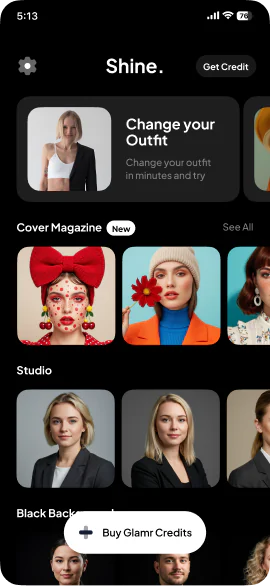
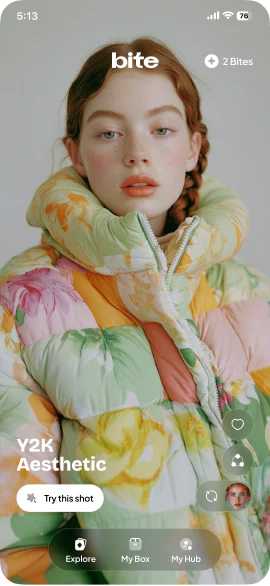
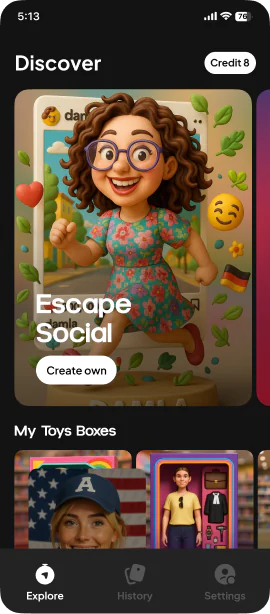
Style names do not mean much on their own. “3D” or “comic” could look like anything. So AI Avatar has a discovery feed that shows each style as finished examples, so people can see what they will get before they choose one. In a credit-based app, that matters twice: it sets the expectation, and it means the credit is spent on a style the person already likes.
Many styles from the same photo
The upload happens once. From the same photo, people can generate avatars across many styles and compare them. That turns a single result into a small collection, which is where most of the fun of an avatar app is.
Stylised, but still you
The hard product problem in an avatar app is identity. A cartoon that does not look like you is a failure, however good the drawing. AI Avatar’s promise is a stylised image that keeps the person natural and recognisable: facial features, expression and proportions carried into each style. That is what people share, and what makes them come back for another style.
A credit economy
Every generation has a real cost, so AI Avatar runs on credits spent per generation, bought through Apple’s in-app purchase. The discovery feed and the credit economy are designed together: the feed earns the tap, and the credit pays for the result.
Made to be shared
Results come out at high resolution, ready for profile pictures, social posts and messaging apps, and can be saved or shared straight away. In a category that grows by people showing each other their results, the share sheet is part of the product.
What we would bring to a project like it
- Show examples, not names. A feed of finished results explains a style better than a label.
- Upload once, explore many. Reusing one photo across styles turns a result into a collection.
- Judge results by likeness first. In avatars, recognisable beats impressive.
- Design the feed and the paywall together. The feed should make the credit feel well spent.
Related: Photo app development · AI app development · What an AI app costs