iPhone app design, built on Apple’s Human Interface Guidelines
Interface and experience design that follows Apple’s Human Interface Guidelines, prototyped and agreed before any code is written, so the app feels familiar from the first tap.
- Timeline
- 2–4 weeks
- Delivered in
- Figma, with a prototype
Who this is for
- 01
Teams before the build
Test the product as an interactive prototype first. Changing a screen in Figma costs far less than changing it in code.
- 02
Apps that feel ported
Your app was designed for the web or for Android first, and it shows. We redesign it around the patterns iPhone users already know.
- 03
Developers without a designer
You can build, but you need screens, a design system and specs you can build from without guessing.
What you get, and how it runs
Typical timeline: 2–4 weeks.
- 01Complete UI and UX design in Figma
- 02Human Interface Guidelines compliance
- 03Interactive prototypes for user testing
- 04A design system of reusable components
- 05Dark mode and accessibility support
- 06Developer handoff with specs and assets
- 01
Research
User interviews and a look at the apps your users already compare you with.
- 02
Wireframes
Low-fidelity flows and the information architecture, agreed before anything is styled.
- 03
Visual design
High-fidelity screens to the guidelines, built from a reusable design system.
- 04
Prototype
An interactive prototype to validate with real users before development starts.
What designing for iOS means in practice
Native design is mostly a list of small decisions made the way Apple makes them. These are the ones we check on every screen.
System type and symbols
San Francisco and SF Symbols, with Dynamic Type so text scales with the reader’s own setting.
Touch targets
Controls at least 44 by 44 points, the size Apple recommends for a comfortable tap.
Dark mode and contrast
Every screen designed in light and dark, with colour contrast that stays readable in both.
Familiar navigation
Tab bars, navigation stacks and sheets used the way iOS uses them, so nobody has to learn your app’s own rules.
The same team runs five apps of its own
Designed, built and operated in-house, in Swift and SwiftUI. What we learn running them goes into the apps we build for you.
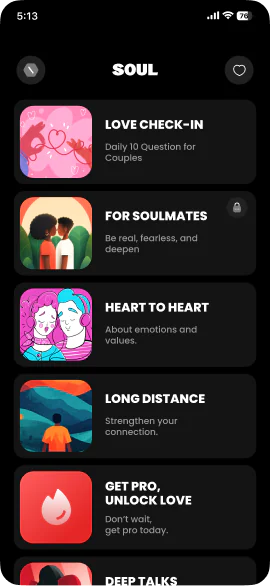
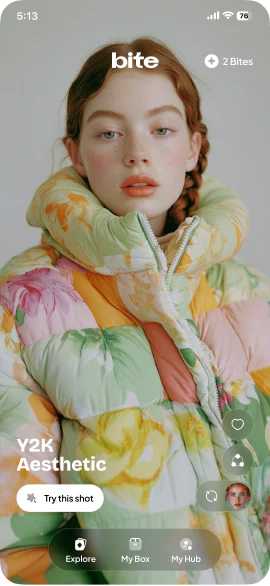
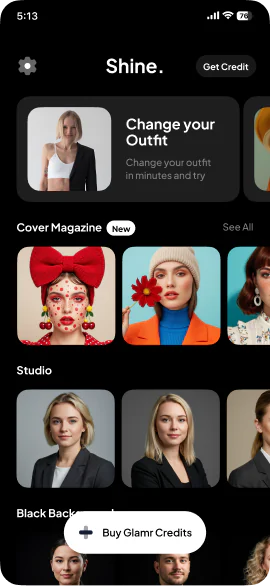
Two to four weeks for most apps, from research to a tested prototype and a developer handoff.
Have an iOS app to build?
Tell us what you are making. If we are not the right team for it, we will say so.
hello@pull.house